


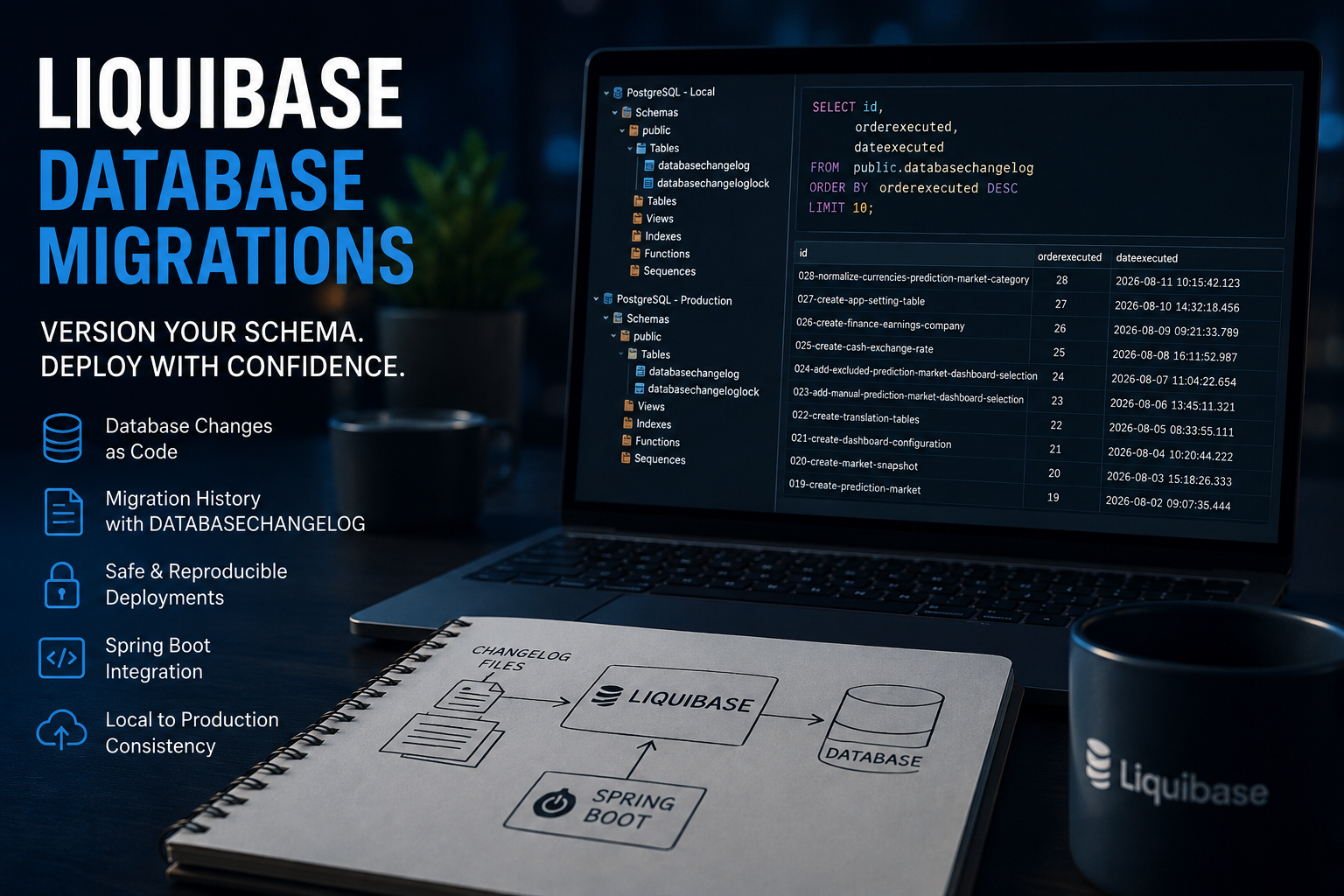
Why I Use Liquibase for Database Migrations
How I use Liquibase with Spring Boot and PostgreSQL to version database changes, track migration history, and keep local and production schemas reproducible.
🧩 Versioning Database Changes, Not Just Application Code
Why database migrations?
Why Liquibase?
Why not Hibernate schema updates?
How do I keep local and production databases synchronized?
For me, database migrations aren't just a deployment detail.
They are part of the application architecture.
When an application evolves, its database evolves with it:
🗃️ New Tables
➕ New Columns
🔎 New Indexes
🔗 New Relationships
🔒 New Constraints
🧩 New Reference Data
The important question isn't only what the database schema looks like today.
It is also how the database reached that state.
That is why I use Liquibase.
🗄️ Database Evolution Is Software Development
My PostgreSQL database did not appear as a finished data model.
It evolved together with the application.
What started with relatively simple structures such as financial instruments and watchlists later grew to include:
📈 Prediction Markets
📸 Market Snapshots
📊 Dashboard Configuration
🗂️ Categories
🌐 Translation Tables
⚙️ Application Settings
💱 Exchange-Rate Data
💰 Additional Finance Data
Each new feature introduced changes to the database schema.
Some changes required new tables.
Others required new columns, indexes, constraints, relationships, or reference data.
The database is therefore not something separate from application development.
Database evolution is software development.
⚠️ The Problem With Manual Database Changes
Of course, I could connect to PostgreSQL and execute every database change manually.
CREATE TABLE example (
    id BIGINT PRIMARY KEY
);ALTER TABLE example
ADD COLUMN description VARCHAR(255);CREATE INDEX idx_example_description
ON example(description);Technically, all of this works.
The problem isn't SQL.
The problem is managing change over time.
After several releases, I need answers to questions such as:
❓ Which changes have already been applied locally?
❓ Which migrations have reached production?
❓ In what order were they executed?
❓ Which database state belongs to which application version?
❓ Can I reproduce the database from scratch?
Knowing only the current schema isn't enough.
I also want to know:
How did the database reach this state?
That is where database migration management becomes important.
🖥️ My Actual Setup
My setup is relatively straightforward.
Locally, PostgreSQL runs in Docker.
I use DBeaver to inspect the schema, execute queries, and work with the database during development.
Production is separate.
I don't maintain a permanent DBeaver connection to the production database.
Instead, I access the production server through SSH and work with PostgreSQL from the shell.
Conceptually:
LOCAL PRODUCTION PostgreSQL / Docker PostgreSQL / Server DBeaver SSH / psql \ / \---- Liquibase ------/
The environments don't have to be operationally identical.
What matters is that both are based on the same versioned migration history.
📁 Database Changes Belong in Git
When I need to modify the database, I don't treat the change as an isolated administrative task.
I add another Liquibase migration to the project.
My project therefore contains a sequence of migration files.
001-create-financial-instrument.yaml
002-create-watchlist.yaml
003-create-watchlist-entry.yaml
...
023-add-manual-prediction-market-dashboard-selection.yaml
024-add-excluded-prediction-market-dashboard-selection.yaml
025-create-cash-exchange-rate.yaml
026-create-finance-earnings-company.yaml
027-create-app-setting.yaml
028-normalize-currencies-prediction-market-category.yaml
The exact filenames aren't the important part.
The sequence is.
As the application evolves, the migration history evolves with it.
Those files live in the same Git repository as the application code.
That means database changes can be:
👀 Reviewed
📝 Committed
🧪 Tested
🚀 Deployed
🔎 Traced
The migration history becomes part of the software-development history.
🧱 What a Liquibase Changeset Looks Like
I use YAML for my Liquibase migrations.
databaseChangeLog:
  - changeSet:
      id: create-example-table
      author: developer
      changes:
        - createTable:
            tableName: example
            columns:
              - column:
                  name: id
                  type: BIGINT
                  constraints:
                    primaryKey: true
                    nullable: false
A changeset describes a specific database change.
That might be:
🗃️ Creating a table
➕ Adding a column
🔎 Creating an index
🔒 Adding a constraint
🧩 Inserting reference data
Liquibase supports several changelog formats.
For me, YAML is simply a convenient way to express the migrations.
The important property isn't the file format.
The important part is that the change is:
Explicit. Versioned. Reproducible.
📜 DATABASECHANGELOG: The Migration History
How does Liquibase know which changesets have already been executed?
Liquibase maintains its own metadata inside the database.
One of the central tables is:
DATABASECHANGELOG
SELECT id,
       orderexecuted,
       dateexecuted
FROM public.databasechangelog
ORDER BY orderexecuted DESC
LIMIT 10;
This gives me the migration ID, execution order, and execution time.
normalize-currencies-prediction-market-category
create-app-setting-table
create-finance-earnings-company
create-cash-exchange-rate
add-excluded-prediction-market-dashboard-selection
add-manual-prediction-market-dashboard-selection
These aren't entries in a separate document describing what should have happened.
They are migrations recorded by the database itself.
When Liquibase runs again, it compares the available changesets with the migrations already recorded in DATABASECHANGELOG.
Already executed changesets are recognized.
New changesets can be applied.
The database therefore contains its own traceable migration history.
🔒 DATABASECHANGELOGLOCK
Liquibase also maintains another table:
DATABASECHANGELOGLOCK
SELECT *
FROM public.databasechangeloglock;
Liquibase uses this mechanism to coordinate migration execution.
Among other things, it prevents multiple Liquibase processes from trying to migrate the same database at the same time.
This might look like a small implementation detail.
But it demonstrates something important:
Database migration is a controlled process, not a collection of unrelated SQL scripts.
🔄 Schema Evolution: Don't Rewrite History
Imagine that I created a table several weeks ago.
The migration has already been executed locally and in production.
Later, I discover that a frequently used query needs another index.
I don't go back and casually modify the original migration as if the previous deployment never happened.
I create a new changeset.
For example:
databaseChangeLog:
  - changeSet:
      id: add-financial-instrument-index
      author: developer
      changes:
        - createIndex:
            tableName: financial_instrument
            indexName: idx_financial_instrument_example
            columns:
              - column:
                  name: example_column
The database history now looks conceptually like this:
CREATE TABLE ↓ ADD INDEX ↓ ADD COLUMN ↓ ADD CONSTRAINT
This gives the repository two dimensions.
It describes:
What does the database look like today?
But it also describes:
How did the database get here?
For me, that history is one of the biggest advantages of database migration management.
🚀 Spring Boot and Liquibase
Liquibase integrates naturally with Spring Boot.
A typical configuration can look like this:
spring:
  liquibase:
    enabled: true
    change-log: classpath:db/db.changelog-master.yaml
When the application starts, Liquibase can connect to PostgreSQL and inspect the migration history.
It determines which changesets have already been executed and which ones are still missing.
Conceptually:
SPRING BOOT APPLICATION + LIQUIBASE MIGRATIONS + POSTGRESQL ↓ REPRODUCIBLE APPLICATION STATE
Application code and database structure evolve together.
That is exactly what I want from the architecture.
🏗️ Rebuilding an Empty Database
One of the clearest demonstrations of this approach is starting with an empty local PostgreSQL database.
Initially:
EMPTY DATABASE
Then I start the Spring Boot application.
Liquibase processes the migration history.
After refreshing DBeaver, the database structure exists.
EMPTY DATABASE ↓ SPRING BOOT START ↓ LIQUIBASE ↓ TABLES INDEXES CONSTRAINTS REFERENCE DATA ↓ DATABASECHANGELOG
The schema isn't reconstructed from somebody's memory.
It isn't reconstructed from an old SQL dump that may or may not still represent the application.
It is reconstructed from the versioned migration history.
That reproducibility is a major architectural advantage.
🔍 Comparing Local and Production
Because Liquibase stores migration information inside each database, I can inspect the migration state independently.
SELECT id,
       orderexecuted,
       dateexecuted
FROM public.databasechangelog
ORDER BY orderexecuted DESC
LIMIT 10;
On production, I can execute the equivalent query through psql.
docker exec <postgres-container> \
  psql -U <database-user> -d <database-name> \
  -t -A -F " | " \
  -c "SELECT id, orderexecuted, dateexecuted
      FROM public.databasechangelog
      ORDER BY orderexecuted DESC
      LIMIT 10;"
That gives me a simple way to verify what has actually been deployed.
I don't need a spreadsheet saying:
Production should be on migration 26.
I can ask the production database itself.
The database is the source of truth for its executed migration history.
🐘 Why public.databasechangelog?
You may have noticed that I explicitly query:
public.databasechangelog
instead of:
databasechangelog
This is intentional.
PostgreSQL resolves unqualified table names according to the current search_path.
By specifying the schema explicitly, I make the query unambiguous.
It is a small detail.
But small details matter when the same query needs to behave consistently across different environments.
🤔 Why Not Just Use Hibernate?
This is probably the most obvious question in a Spring Boot application.
Why not simply let Hibernate create or update the database schema?
For local experiments, automatic schema generation can be convenient.
For production systems, I want a clearer separation of responsibilities.
I see it like this:
HIBERNATE ↓ OBJECT / RELATIONAL MAPPING ↓ SCHEMA VALIDATION
while:
LIQUIBASE ↓ DATABASE MIGRATION ↓ SCHEMA EVOLUTION
spring:
  jpa:
    hibernate:
      ddl-auto: validate
while Liquibase remains responsible for changing it.
For production database changes, I want:
👀 Visibility
🔎 Reviewability
📝 Versioning
🧪 Testability
🔁 Reproducibility
📜 Traceability
I don't want production schema evolution to be an implicit side effect of ORM configuration.
⚠️ Liquibase Does Not Make Bad Migrations Good
This distinction is critical.
Migration management is not the same thing as migration safety.
Consider:
ALTER TABLE important_table
DROP COLUMN important_data;
Liquibase can version this migration.
Liquibase can track this migration.
Liquibase can execute this migration perfectly.
That doesn't make dropping the column a good idea.
The same applies to something that initially looks harmless, such as adding an index.
On a small development table, creating an index may take almost no time.
On a production table containing hundreds of millions of rows, the operational consequences can be completely different.
I still need to think about:
🔒 Locking
⏱️ Execution Time
🗃️ Data Volume
💾 Storage
📈 Application Impact
🔙 Rollback Strategy
🚀 Deployment Strategy
Liquibase doesn't replace database engineering.
It gives database engineering a controlled migration mechanism.
💾 Liquibase Does Not Replace Backups
A migration tool is not a backup system.
These solve two completely different problems.
LIQUIBASE ↓ HOW THE DATABASE CHANGES
while:
BACKUP ↓ HOW DATA CAN BE RECOVERED
Liquibase records and executes changes.
It cannot magically restore data destroyed by a bad migration.
For a production system, I want both.
Controlled migrations and a recovery strategy.
🔧 Database Migrations and CI/CD
Once migrations live in Git, they naturally become part of the software delivery process.
My application already uses technologies such as:
☕ Spring Boot
🐘 PostgreSQL
🐳 Docker
🌿 Git
⚙️ Jenkins
The overall process becomes:
CODE ↓ BUILD ↓ TEST ↓ CONTAINER ↓ DEPLOY ↓ SPRING BOOT ↓ LIQUIBASE ↓ POSTGRESQL
The database is no longer something outside the software delivery lifecycle.
Its evolution becomes part of that lifecycle.
For me, this is where database migration management stops being just a developer convenience.
It becomes an architectural concern.
🏛️ Why Liquibase Works for My Architecture
I don't use Liquibase because I need a sophisticated tool to execute a CREATE TABLE statement.
PostgreSQL already knows how to do that.
I use Liquibase because I need answers to different questions:
🔎 What changed?
🔢 In which order?
📅 When was it applied?
✅ Has this migration already run?
🖥️ What is currently running in production?
🔄 Can I reproduce the schema?
🌿 Is database evolution stored with the application?
Those aren't SQL syntax questions.
They are software lifecycle questions.
And that is where Liquibase provides value in my architecture.
🎥 Watch the Complete Liquibase Walkthrough
🎥 Database Migrations with Liquibase in a Real Spring Boot Project
In the accompanying video, I show how I use Liquibase in my actual Spring Boot and PostgreSQL project.
The walkthrough includes:
📁 Real Liquibase changelog files from the project
🧱 Creating and evolving database structures
📜 Inspecting
DATABASECHANGELOG🔒 Understanding
DATABASECHANGELOGLOCK🖥️ Comparing local and production migration history
🐳 PostgreSQL running in Docker
🔍 Inspecting the local database with DBeaver
⌨️ Checking the production database through SSH and
psql🚀 Spring Boot and Liquibase integration
🤔 Liquibase vs. Hibernate schema management
⚠️ What Liquibase does — and what it does not solve
This isn't a generic Liquibase tutorial.
It is a look at how database migrations are handled in a real application and why I consider schema evolution part of software architecture.
💡 Treat Your Database Schema Like Code
My Java code is versioned.
My application configuration is versioned.
My Docker configuration is versioned.
My deployment configuration is versioned.
My Jenkins pipeline is versioned.
Why should the database schema be the exception?
For me, the conclusion is simple:
Your database schema is part of your application. Treat it like code.
That is why I use Liquibase.